2027 KDP GOLDRUSH · COVER STUDIO CORE GET IT FOR $17
2027 KDP Goldrush
10 CORE CATEGORIES · MORE VARIATIONS PER CATEGORY

Ten Planner Categories. Two Thousand Fresh Cover Directions.

Create with purpose 10 core planner categoriesEditable files
A Bigger, More Useful Collection — Without the Blank-Page Scramble

A focused cover-design collection for everyday planning, gratitude, goals, budgets and self-care. Explore more variations per category without paying for unrelated niches.

No mystery folders. No invented earnings proof. No membership.

2,000 cover design variants$17 one-time14 days evidence-based refund window
  • 10 core planner categories
  • A focused category range
  • Two hundred variants per category
  • Editable SVG files
  • Designed files plus searchable working formats
  • Actual previews and a transparent delivery manifest
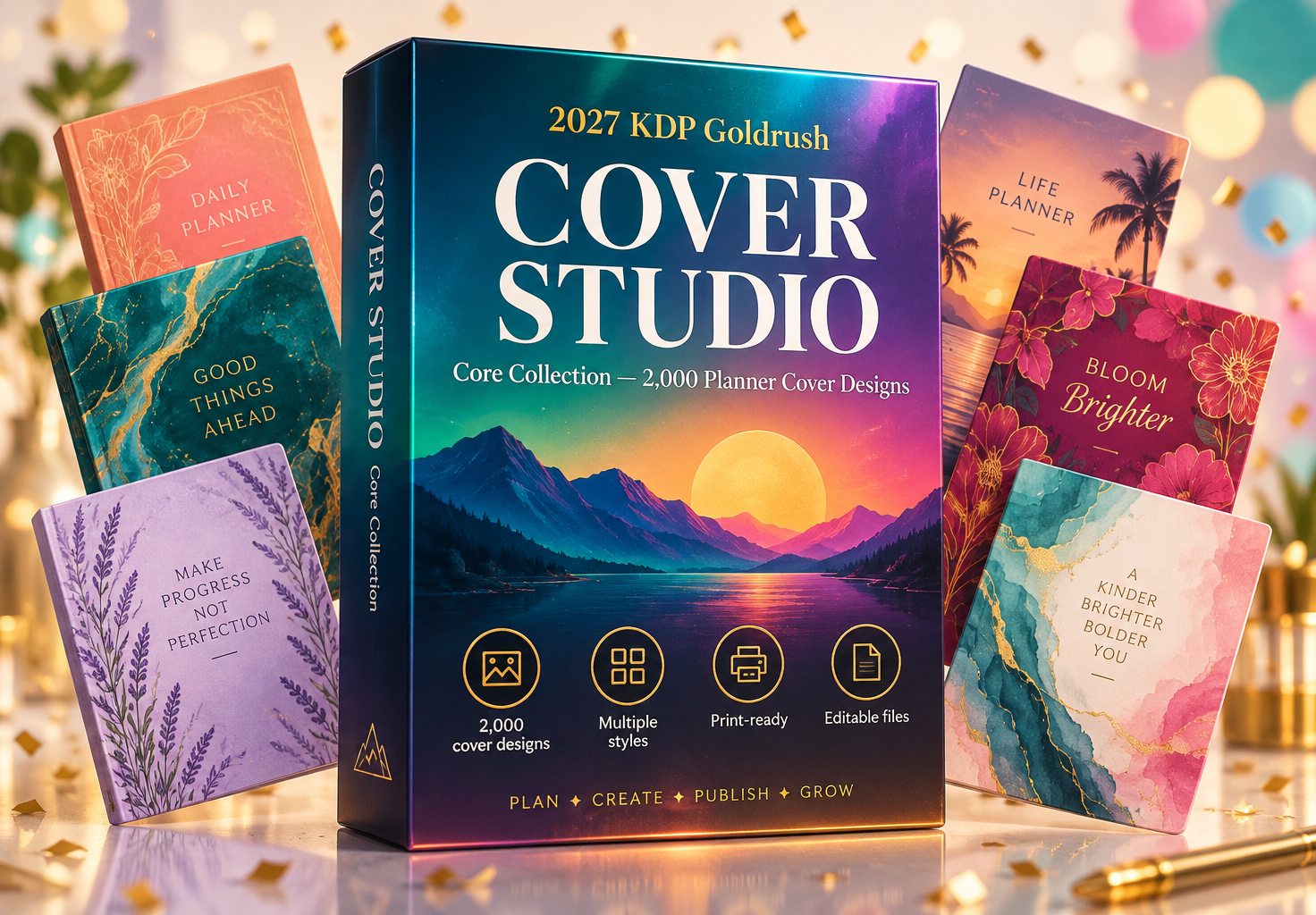
Cover Studio: Core Collection — 2,000 planner cover designs
Get the complete package — $17
One-time purchase · Digital download · 14-day evidence-based refund policy
THE REAL PROBLEM

Warning: You Do Not Need Forty Niches to Need a Better Cover.

A focused planner catalog can still require many design decisions: audience, edition, color, title hierarchy and motif.

Buying a broad asset collection is wasteful when your actual work stays within everyday planning and reflection.

The cheapest-looking cover is often the one that makes a carefully prepared interior feel unfinished.

More files are not automatically more value. The useful question is whether the collection helps you prepare a coherent cover direction with fewer missing decisions and a clearer way to inspect the result. That is the standard this edition is designed to meet.

You should not have to accept a folder full of vague promises, borrowed proof or unsupported market numbers. You should be able to see the format, understand the count, inspect a sample and decide whether the scope fits the project in front of you.

HERE IS THE BETTER STARTING POINT

What If the Next Step Were Already Organized for You?

Cover Studio Core concentrates on the ten categories at the heart of the original planner kit.

You get 2,000 template-based variants: two hundred design directions within each core category.

The lower price buys a narrower category range, not a folder of empty placeholders. Individual PDFs, editable SVGs and specification records are included.

This is a downloadable working collection. It does not publish for you, choose your audience for you or guarantee that a finished book will sell. It gives you a substantial, inspectable set of cover design variants and a clearer path from raw material to a reviewed final project.

Introducing the expanded Cover Studio Core
LESS FRICTION BETWEEN THE STEPS

Keep the Work Connected, From First Idea to Final Review.

Before the project

Use the inventory and sample files to decide whether the scope fits. Record the reader task, intended format and open questions before customization begins, so the collection supports a defined project rather than creating more unrelated ideas.

During production

Work from the relevant master or record and keep the finished reference nearby. Save a versioned result, note the fields you changed and use the acceptance checks to decide when the current stage is actually complete.

Before release

Compare the final files with the public description. Verify the count, identity fields, rights, links and production settings. A careful consistency pass is part of the product work, not an optional extra after the creative work is finished.

After delivery

Keep the release files and evidence available for support. Record genuine questions or defects, correct the specific issue and avoid promising outcomes that the materials themselves cannot guarantee. A maintainable product is easier to stand behind.

LOOK INSIDE BEFORE YOU DECIDE

Real Files. Real Pages. See the Work for Yourself.

These previews come from the delivered collection. They are not income screenshots, invented testimonials or a demo of software that is not included.

THE CONTENTS, NOT A MYSTERY BOX

Here Is How the 2,000-Item Collection Is Organized

The count refers to cover design variants. Supporting formats are included to make the same collection easier to inspect and use; they are not counted again as extra items.

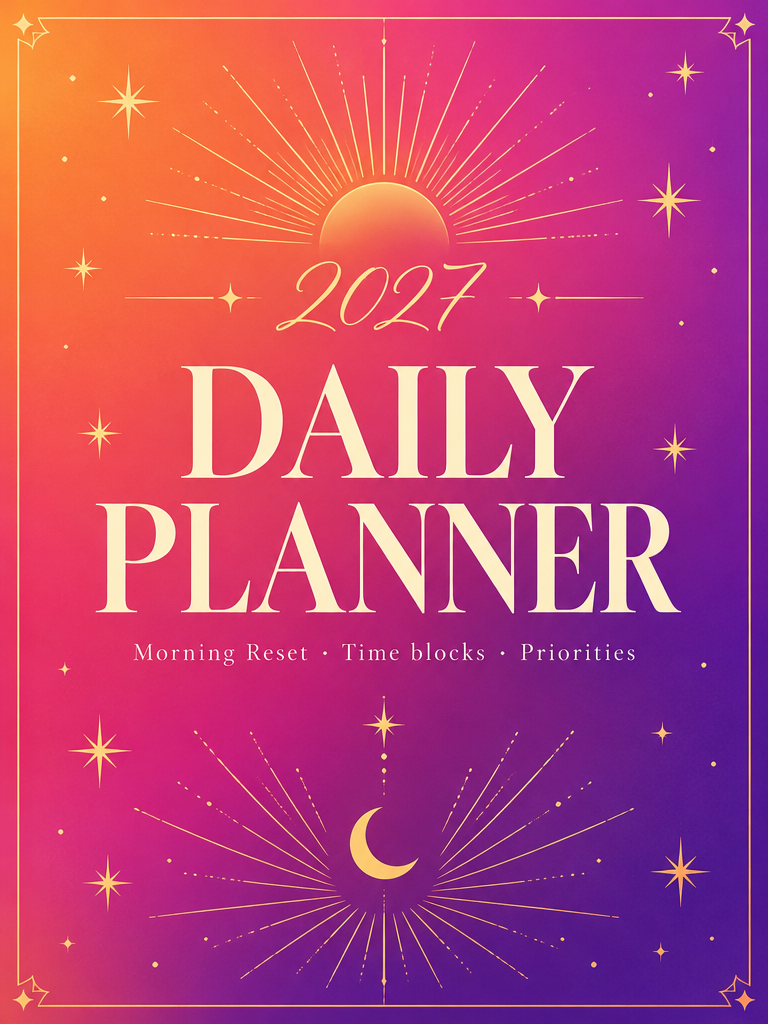
200 variantsDaily Planner

Time blocks · Priorities · Daily reflection

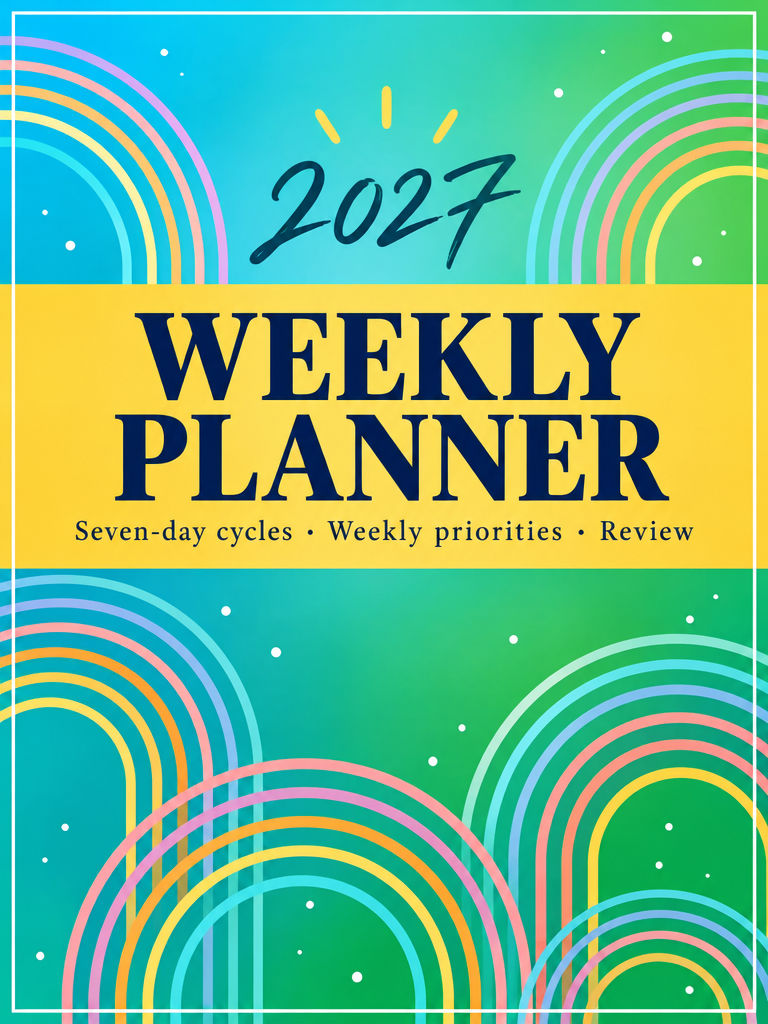
200 variantsWeekly Planner

Seven-day cycles · Weekly priorities · Review

200 variantsMonthly Planner

Calendar views · Monthly goals · Reflection

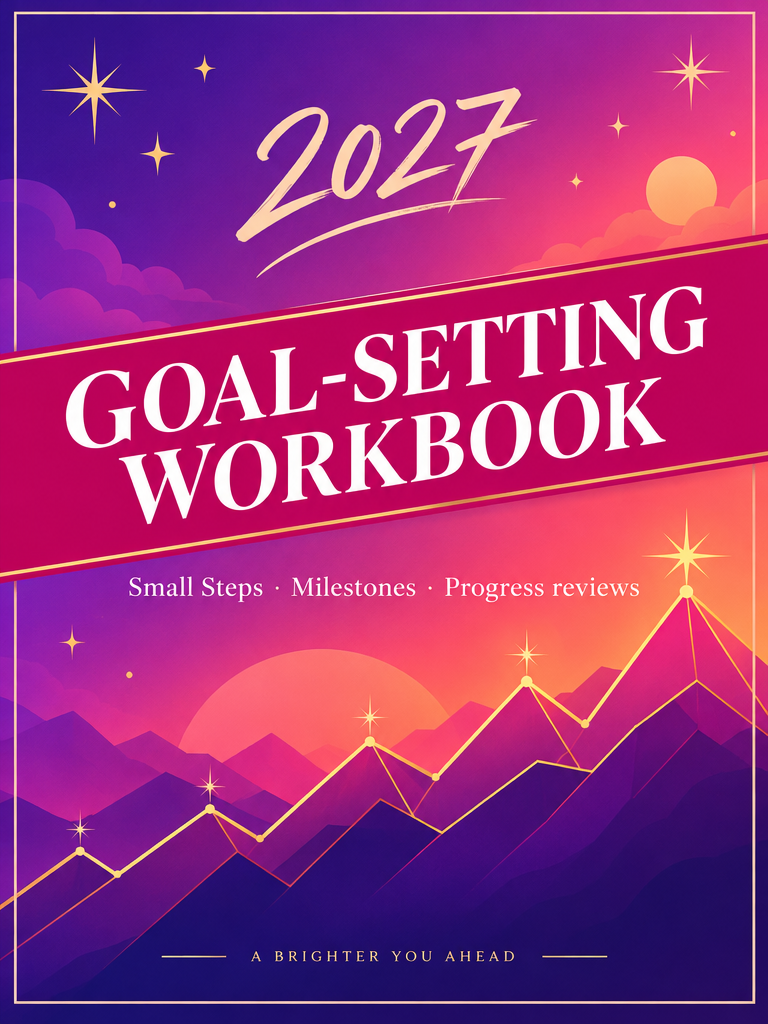
200 variantsGoal-Setting Workbook

Milestones · Action plans · Progress reviews

200 variantsVision-Board Workbook

Life domains · Visual prompts · Action bridges

200 variantsGratitude Journal

Daily appreciation · Specific prompts · Monthly review

200 variantsBudget Planner

Monthly budgets · Expense logs · Money reviews

200 variantsHabit Tracker

Small actions · Monthly maps · Gentle resets

200 variantsPrayer Journal

Prayer notes · Thanksgiving · Quiet reflection

200 variantsSelf-Care Planner

Weekly check-ins · Boundaries · Supportive routines

Open the package’s CONTENTS.csv and START-HERE.pdf for the delivered file list, scope, usage rights and first-use instructions. The previews show representative samples, not every file.
TEN REASONS THIS EDITION IS MORE USEFUL

More Than a Bigger Folder. A Better Working Collection.

BENEFIT 01

A focused category range

Daily, weekly and monthly planning sit alongside goals, vision, gratitude, budgets, habits, prayer and self-care. Inspect the representative sample first. Identify the exact file that provides this benefit, then test it in one small project before assuming it fits the whole catalog.

BENEFIT 02

Two hundred variants per category

Explore more combinations within the subjects you actually publish. Use the inventory to locate the relevant section. Keep the chosen item with the project brief so the reason for selecting it remains clear when you return later.

BENEFIT 03

Editable SVG files

Change text and visual elements without tracing a flattened image. Compare the feature with the reader’s actual task. A useful detail should reduce confusion or repeated setup, not merely make the product look larger.

BENEFIT 04

Individual print-layout PDFs

Select one design and work with one file. Record the customization that your edition needs. A template becomes more valuable when its fields, labels and scope reflect a real finished product.

BENEFIT 05

A browsable combined catalog

Review the range without opening two thousand separate documents. Check the exported result, not only the editable source. Fonts, spacing, labels and file settings can change between the working document and the version a buyer receives.

BENEFIT 06

Recorded production assumptions

See the trim, page count and spine calculation behind every design. Keep a short acceptance note beside the project. State what must be true for this part of the work to be considered ready for the next stage.

BENEFIT 07

Consistent series possibilities

Keep a visual family while changing the edition and audience label. Use the supporting guide when a decision is unclear. The guide is there to make the review repeatable, not to replace your judgment about the specific book.

BENEFIT 08

Reserved barcode space

Back-cover layouts leave room for the production barcode. Choose one improvement that matters to the intended reader. Complete and verify that change before adding another optional feature or opening another category.

BENEFIT 09

A lower-cost focused option

Pay for planner categories rather than a wider range you may never use. Preserve the distinction between included material and a claim about results. The file can support your process without guaranteeing what the market will do next.

BENEFIT 10

Clear customization requirements

Author fields and final specifications remain your responsibility before upload. Review the rights alongside the practical benefit. Knowing how a file may be used is part of making it valuable to your own publishing workflow.

CHOOSE THE RIGHT WORKING FORMAT

The Same Collection, Ready for Different Ways of Working.

Designed PDF

Use the PDF when you want to inspect the finished visual structure, browse a reference or prepare a print workflow. The exact role of each PDF is listed in the package inventory.

Searchable workbook

Use the XLSX file when filtering, sorting, assigning or recording evidence matters. It is a working view of the collection, not an additional set of items to count twice.

Copy-ready text

Use Markdown, CSV or JSONL where supplied when you need to copy a prompt, process records or move the library into another tool. Check the destination tool’s import requirements.

Editable sources

Use the stated DOCX or SVG sources for customization. These are starter or source files where described; the complete count is delivered in the primary collection, not implied by the number of masters.

Your Next Project Deserves a Better Starting Point

10 core planner categories. One complete package. No membership.

Get the complete package — $17
One-time purchase · Digital download · 14-day evidence-based refund policy
WHERE IT FITS

One Collection. Several Practical Ways to Use It.

Choose the application that matches a real project. The aim is not to use every item at once; it is to make the next publishing decision easier to complete and review.

USE CASE 01

Develop several editions of a daily planner.

Choose a short list rather than editing every variant. Compare the directions against the actual interior, check readability at a small size and keep a record of why one design was selected. The final choice still needs a production preflight. Open the relevant sample, write down the intended reader and list the details that must be verified. Finish the session with one adapted artifact and a short note about what still needs review.

USE CASE 02

Create a coordinated gratitude and prayer-journal pair.

Choose a short list rather than editing every variant. Compare the directions against the actual interior, check readability at a small size and keep a record of why one design was selected. The final choice still needs a production preflight. Compare two possible directions using the same criteria. Keep the option that best matches the actual contents, then record why the other direction was set aside.

USE CASE 03

Compare restrained and colorful directions for a budget planner.

Choose a short list rather than editing every variant. Compare the directions against the actual interior, check readability at a small size and keep a record of why one design was selected. The final choice still needs a production preflight. Prepare the smallest complete version first. Inspect it from the buyer’s point of view before expanding the idea into additional editions or channels.

USE CASE 04

Build a habit-tracker series around different routines.

Choose a short list rather than editing every variant. Compare the directions against the actual interior, check readability at a small size and keep a record of why one design was selected. The final choice still needs a production preflight. Use the working master to locate the exact item, replace the project fields and save a versioned result. Do not mix the adapted copy with the unedited source.

USE CASE 05

Prepare a self-care journal without using clinical imagery.

Choose a short list rather than editing every variant. Compare the directions against the actual interior, check readability at a small size and keep a record of why one design was selected. The final choice still needs a production preflight. Run the relevant quality check before calling the task finished. Capture the evidence, correct the issue that matters most and leave a clear next action.

USE CASE 06

Refresh a monthly planner for a new imprint.

Choose a short list rather than editing every variant. Compare the directions against the actual interior, check readability at a small size and keep a record of why one design was selected. The final choice still needs a production preflight. Ask a trusted reviewer to inspect one concrete question rather than asking whether they like the whole collection. Specific feedback is easier to act on.

USE CASE 07

Choose a consistent visual family for a small planner catalog.

Choose a short list rather than editing every variant. Compare the directions against the actual interior, check readability at a small size and keep a record of why one design was selected. The final choice still needs a production preflight. Check the final file name, scope and link against the product description. A small consistency pass can prevent a confusing buyer experience later.

USE CASE 08

Explore gift-oriented editions while keeping the underlying format honest.

Choose a short list rather than editing every variant. Compare the directions against the actual interior, check readability at a small size and keep a record of why one design was selected. The final choice still needs a production preflight. Close the session by recording what changed and what remains uncertain. The next session should begin with a decision, not another search through the entire library.

AN HONEST COMPARISON

Scattered Templates, Starting Alone, or One Organized Collection?

No fabricated competitor prices or universal claims. This compares the working approach, not a promise that one option is right for every publisher.

What to considerThis expanded packageScattered free templatesBuilding everything yourself
Scope10 core planner categories; the stated minimum is delivered.Varies by source; you assemble the scope.You define and produce the scope.
OrganizationNamed categories, working formats and a delivery manifest.You reconcile folders, naming and versions.You create the organization system.
CustomizationEditable sources or copy-ready masters where stated.Depends on the individual file and its license.Full control, with the associated production work.
Review responsibilityYour final review is still required.Your final review is still required.Your final review is still required.
Best fitA publisher who wants a substantial, structured starting point.A small need with time to compare sources and rights.A distinctive project that needs a fully custom process.
THE QUALITY STANDARD

Useful Material Still Deserves A Careful Final Review.

The collection gives you more to work with. These six checks help turn that material into a product you can explain, deliver and support.

Scope accuracy

Every public description should match the delivered files. Compare the stated count, format, trim and included sections with the actual product. Remove a claim when the evidence is missing rather than making the wording sound more confident.

Usable detail

Open a representative item and complete a realistic sample task. Look for missing inputs, cramped writing space, unclear instructions or an output that cannot be used without another round of interpretation.

Consistent identity

Check the title, edition label, author or imprint, file name and metadata together. A buyer should be able to connect the sales page, the downloaded package and the finished book without guessing which version is correct.

Rights and permissions

Confirm that the intended use is allowed, especially for client work or third-party material added during customization. Keep the source-collection restrictions separate from the rights in the finished books you create.

Production readiness

Inspect the final export at the intended size and in the relevant preview environment. Verify dates, margins, links, page order and any platform-specific requirements before treating a working draft as a release file.

Supportable promises

Make sure you can answer a factual question about the product and document a missing-file or defect report. A clear scope and evidence trail make support more useful than another broad promise about transformation.

THE SIMPLE THREE-STEP WORKFLOW

From Download to A Reviewed Next Step

1

Inspect

Open the guide, review the inventory and look at the sample files. Confirm the count, format and license before choosing your first project.

2

Customize

Choose one relevant cover variant and adapt it to a real reader task. Choose a short list rather than editing every variant. Compare the directions against the actual interior, check readability at a small size and keep a record of why one design was selected. The final choice still needs a production preflight.

3

Review and use

Check the final output, record the evidence and release only what you can support. A cover should describe the book clearly before it tries to decorate it.

Get the complete package — $17
One-time purchase · Digital download · 14-day evidence-based refund policy
WHAT IS INCLUDED BEYOND THE MAIN COUNT

Eight Useful Extras. Actually in the Package.

These are supporting materials included with this edition—not unrelated software, made-up bonuses or inflated dollar values.

INCLUDED 01

2,000 editable SVG sources

Use this resource alongside the main cover design variants collection. It supports inspection, customization or responsible production within the stated scope. Check START-HERE for the exact file name and suggested first use.

INCLUDED 02

2,000 individual full-wrap PDFs

Use this resource alongside the main cover design variants collection. It supports inspection, customization or responsible production within the stated scope. Check START-HERE for the exact file name and suggested first use.

INCLUDED 03

One combined catalog PDF

Use this resource alongside the main cover design variants collection. It supports inspection, customization or responsible production within the stated scope. Check START-HERE for the exact file name and suggested first use.

INCLUDED 04

A core-category specification manifest

Use this resource alongside the main cover design variants collection. It supports inspection, customization or responsible production within the stated scope. Check START-HERE for the exact file name and suggested first use.

INCLUDED 05

A visual contact sheet

Use this resource alongside the main cover design variants collection. It supports inspection, customization or responsible production within the stated scope. Check START-HERE for the exact file name and suggested first use.

INCLUDED 06

A spine-size calculator

Use this resource alongside the main cover design variants collection. It supports inspection, customization or responsible production within the stated scope. Check START-HERE for the exact file name and suggested first use.

INCLUDED 07

A cover preflight guide

Use this resource alongside the main cover design variants collection. It supports inspection, customization or responsible production within the stated scope. Check START-HERE for the exact file name and suggested first use.

INCLUDED 08

A customization and font-note sheet

Use this resource alongside the main cover design variants collection. It supports inspection, customization or responsible production within the stated scope. Check START-HERE for the exact file name and suggested first use.

IS THIS FOR YOU?

Built for People Who Want to Do the Next Piece of Work Well.

Develop several editions of a daily planner.
Create a coordinated gratitude and prayer-journal pair.
Compare restrained and colorful directions for a budget planner.
Build a habit-tracker series around different routines.
Prepare a self-care journal without using clinical imagery.
Refresh a monthly planner for a new imprint.
Choose a consistent visual family for a small planner catalog.
Explore gift-oriented editions while keeping the underlying format honest.
Publishers who prefer inspectable files over vague promises
Self-publishers building a small, coherent catalog
Detail-oriented creators willing to review before release
Buyers who want a standalone product, not another subscription

And an honest fit check before you buy.

This is not a hands-free income system. It will not choose a profitable niche, obtain rights, approve a book or create demand on your behalf. If you want guaranteed royalties, automatic publishing or personal mentoring, this package is not that offer.

If you want a substantial set of usable materials, are willing to customize and review them, and understand the difference between production support and business results, the scope may fit your needs.

A CLEAR, EVIDENCE-BASED POLICY

The Purchase Has a 14-Day Refund Window.

14DAY POLICY

Request a refund within 14 days of purchase and provide sufficient evidence showing where the product did not deliver the promised materials or functionality, or did not conform to the stated description.

Include your order reference, the package name, the affected files and relevant screenshots or error messages. The seller reviews the evidence and may request reasonable clarification or provide corrected files where appropriate.

This is not a no-questions-asked or change-of-mind guarantee. Sales, rankings, royalties and personal outcomes are not guaranteed and are not the basis of a delivery claim. Non-waivable consumer rights remain unaffected.

THE COMPLETE OFFER

Let’s Recap What You Receive

Cover Studio: Core Collection

10 core planner categories
  • 2,000 cover design variants
  • Designed PDF resources and stated working formats
  • The eight supporting resources listed above
  • A delivery manifest and first-use guide
  • A non-exclusive usage license within the stated scope
  • A 14-day evidence-based refund policy
ONE-TIME PRODUCT PRICE
$17

Digital product · No membership · No recurring product billing

There is no invented “total value” or fake countdown here. The price is the price for the files and rights described on this page. Check the scope, then choose the package that fits your project.

BEFORE YOU CHOOSE

Frequently Asked Questions

Q. Why does Core also contain 2,000 designs?

The minimum applies to every package. Core narrows the subjects to ten categories and provides more variants within each.

Q. Is Core simply fifteen covers renamed?

No. The original direction has been expanded into a complete generated collection with individual files and a manifest.

Q. Is every Core design in the full Vault?

No. Core includes additional variations within its ten categories; the full Vault covers forty categories.

Q. Are the designs flattened images only?

No. Editable SVG sources accompany the PDFs.

Q. Can I use a design for a different page count?

Only after recalculating and rebuilding the wrap to the final specification.

Q. Are these exclusive to me?

No. The license is non-exclusive and does not grant trademark or exclusive template ownership.

Q. Can I use them for clients?

Client-work rights are included in the standalone Agency Operations Toolkit, not this focused cover license.

Q. Do I need design experience?

Basic vector-editor familiarity helps. The PDFs are usable as supplied after required customization and preflight.

Q. What exactly am I buying?

A downloadable digital product containing the files described on this page. It is not a membership, mentorship, publishing service, live software platform or guarantee of income. Review the inventory and sample files so the format matches your expectations.

Q. How is the 2,000 minimum counted?

Each package is counted in the unit stated at the top of its sales page. Alternate export formats, duplicate color/grayscale presentations and supporting guides are not used to inflate that minimum. The package manifest makes the delivered structure inspectable.

Q. Do I need previous publishing experience?

No particular professional background is assumed, but you still need to read the instructions, customize the relevant fields and verify the final work. The package reduces blank-page work; it does not remove the publisher’s responsibility for quality, rights or accurate metadata.

Q. Does this upload or publish books for me?

No. These are downloadable production and planning materials. You remain responsible for editing, exporting, uploading, pricing and publishing through your own accounts. No platform login or automatic publishing engine is included.

Q. Are sales or royalties guaranteed?

No. Demand, positioning, product quality, competition, advertising decisions and platform policies all affect outcomes. No sales volume, ranking, royalty amount, client acquisition or payback period is promised by this package.

Q. Can I get a refund?

The stated policy allows a request within 14 days of purchase with sufficient evidence that promised materials or functionality were not delivered or did not conform to the description. It is an evidence-based delivery policy, not an unconditional satisfaction guarantee. Non-waivable consumer rights remain unaffected.

Q. Can I share the source files?

No. The license permits the stated finished-book or business use, but not source redistribution, resale, giveaways, PLR or MRR. Client-work rights are included only where explicitly stated, principally in the standalone Agency Operations Toolkit.

Q. Are there recurring fees?

The package price is a one-time product price. There is no membership or recurring product billing in this offer. Separate software, printing, advertising, marketplace or professional-service costs are not included and remain your responsibility.

Q. What software will I need?

A PDF reader is enough to inspect the designed files. Spreadsheet software is useful for workbooks, a text editor for copy-ready masters and a compatible vector or word editor for editable sources. Check the file list for the formats relevant to your workflow.

Q. Are the files exclusive to my business?

No. The underlying collection is licensed non-exclusively. You may create your own finished books within the stated rights, but you do not receive exclusive ownership of the templates or a trademark in the collection name.

Q. What should I check before publishing?

Verify the final title, author, page count, trim, dates, writing space, claims, rights, metadata and production specifications. Use the current platform preview and guidance. A file being included in this package is not a substitute for your own final review.

Q. What if a file is missing or damaged?

Keep the order reference and record the file name, error message and relevant screenshots. Contact the seller through the published support channel with that evidence so the issue can be assessed and corrected or handled under the refund policy.

Q. Does the package include future products?

No future-drop or lifetime-update promise is made. The offer covers the files actually delivered in this edition. Any later product or separately announced edition would have its own scope and terms.

Q. Can I use real customer testimonials later?

Only use genuine feedback with appropriate permission and accurate context. Do not turn an illustrative example into a quote, invent a result or imply that an exceptional outcome is typical. The package itself does not manufacture social proof.

Q. Why are there no income screenshots?

Because no verified earnings evidence was supplied for these expanded products. A screenshot from another offer would not prove this package’s results. The pages use actual file previews and explicit scope instead of borrowed or fabricated proof.

Q. Is the cheapest workflow always the best?

No. The sensible workflow is the one that produces a accurate, rights-cleared book you can support. Compare the time saved with the review work still required, and do not skip a necessary check simply because a template makes production faster.

Q. Can I customize the materials?

Yes, within the license. Change the fields that need to reflect your finished book, preserve production safety and check the result after editing. Source-file customization does not create permission to redistribute the source collection itself.

Q. What is the sensible first step after purchase?

Open START-HERE, inspect the inventory and choose one relevant item for one real project. Complete a small, reviewable task before trying to use the entire library. The objective is a useful finished result, not opening every file.

Q. Why are some resources template-based?

A template system makes a large collection consistent and editable. The package discloses where variants, repeated procedures or alternate formats are used so you can judge the structure rather than assuming every item is a separate hand-authored work.

Q. Can I print the resources at home?

You can print the PDFs for personal inspection where the license allows. Commercial book production should use the intended trim, page count and print workflow, and home-print results may differ from a platform proof.

Q. Are the working files compatible with every editor?

No compatibility promise covers every application. DOCX, XLSX, SVG and text formats are widely supported, but fonts, formulas and layout can vary. Inspect the file in your chosen editor and keep the PDF as a visual reference.

Q. Does the package include a video course?

No video course is included. The reference page’s video section has been replaced with actual file previews because this product is a downloadable resource collection rather than a software demonstration or coaching program.

Q. Can I use the materials in more than one of my own books?

Yes, within the stated non-exclusive license. You may adapt the materials for your own finished-book projects. The restriction is on redistributing the source collection or claiming exclusive ownership of its underlying templates.

Q. What happens if I change the page count?

Treat the changed count as a new production input. Recheck the interior pagination and recalculate any cover spine that depends on it. Do not assume a cover built for the original count will remain correct.

Q. Are the sample previews the whole product?

No. They are representative pages or records from the complete collection. The inventory explains the full count and the package manifest lists the delivered files. A preview is intended to help you assess the format before purchase.

Q. Can I request a new feature or future drop?

No future delivery is included in this offer. You may send feedback through the seller’s support channel, but a request does not create a membership, update subscription or obligation to provide a future product.

Q. Do I need to use every category?

No. Choose the categories that match your real project. The breadth is there to support selection, not to create a requirement that every buyer use every file or publish every possible format.

Q. Why does the page repeat the purchase button?

The page is a long-form product guide, so purchase links appear at several decision points for convenience. They all refer to the same package and price; they are not separate upsells, recurring charges or limited-time timers.
THE PUBLISHER’S FIELD GUIDE

A Few Practical Notes Before You Begin.

A larger collection is most useful when it is paired with a disciplined workflow. These notes explain how to get practical value without skipping the decisions that remain yours.

A note from the collection

A narrow catalog benefits from clear differences between editions. A cover should describe the book clearly before it tries to decorate it.

A note from the collection

Do not change only the year and assume the entire product is meaningfully new. A cover should describe the book clearly before it tries to decorate it.

A note from the collection

Check that the audience label describes the actual interior. A cover should describe the book clearly before it tries to decorate it.

A note from the collection

Keep the author name short enough to remain readable. A cover should describe the book clearly before it tries to decorate it.

A note from the collection

Use the contact sheet to eliminate near-identical directions before a deeper review. A cover should describe the book clearly before it tries to decorate it.

A note from the collection

A light palette needs the same contrast discipline as a dark one. A cover should describe the book clearly before it tries to decorate it.

A note from the collection

The Core collection is a focused alternative, not a trial with missing files. A cover should describe the book clearly before it tries to decorate it.

A note from the collection

Always inspect the exported PDF after editing the SVG. A cover should describe the book clearly before it tries to decorate it.

Define the finished scope

Write down what the final book contains before adapting the sales copy. A precise scope prevents the title, description, cover and interior from drifting into different promises during production.

Keep a release folder

Separate working drafts from the exact files approved for publication. Record the version, export date and responsible reviewer so a later correction does not accidentally reintroduce an older error.

Inspect the small details

A wrong date, missing author field or broken link can undermine an otherwise careful product. Use a short final checklist and inspect the actual export rather than assuming the source document is enough.

Make one decision at a time

When several things need improvement, identify the decision that unblocks the next step. A focused revision is easier to evaluate than a complete restart with no record of what changed.

Keep evidence with the claim

If a product page states a feature, page count or included format, point to the file that supports it. Remove claims that cannot be traced to the delivered product or another reliable source.

Respect the reader’s context

A useful product fits the way a person actually works. Consider writing space, portability, language, date conventions and the amount of setup required before adding another feature.

Use a small test

A sample entry, thumbnail proof or single-channel draft can reveal a problem before it spreads across the whole catalog. Keep the test small enough that you will actually inspect the result.

Record what you learn

Save the reason behind a meaningful revision. Future you—or a collaborator—should be able to understand why a feature was kept, removed or changed without reconstructing the entire conversation.

Verify changing requirements

Printing specifications, marketplace fields and content policies can change. Treat the package’s production notes as a starting checklist and confirm current requirements at the official source before release.

Do not confuse activity with progress

Opening more files is not the same as finishing a better book. Choose a concrete output for the session and stop when that output has been produced, reviewed and saved.

Protect confidential information

Use sample or anonymized information in demonstrations. Do not place client, patient, financial-account or other sensitive data in a public preview simply because a template has a field for it.

Make support possible

A product you can explain and maintain is easier to support than one built from promises you cannot verify. Keep the final files, scope and known limitations available when answering a buyer question.

Review the license before client use

A finished-book license and an agency-service license are not the same thing. Confirm who may use the source, what may be delivered and which rights remain with the original rights holder.

Price after production decisions

Page count, paper, trim, marketplace and distribution affect the economics of a printed book. Complete those decisions before treating a price scenario as relevant to your actual product.

Keep the human review

Automation and templates can accelerate a draft, but they do not establish that the draft is correct. Assign a person to inspect the output and make the final publication decision.

Leave room for a different conclusion

A good review process can end in a revision, a delay or a decision not to publish. The purpose is a sound product decision, not forcing every initial idea through to release.

Use consistent names

Keep the book title, edition label and file names aligned. Consistency reduces upload mistakes and makes it easier to match a support request to the correct version.

Prefer a real preview

An actual page or design sample gives a buyer useful information. Use it instead of an invented testimonial, a borrowed earnings screenshot or a decorative mockup that hides the product.

Check the whole journey

Inspect the product from the first sales claim through the downloaded file and the final reader experience. A polished sales page cannot repair a confusing or incomplete delivery.

Finish with a handover note

Record what was delivered, what remains the buyer’s responsibility and where to ask for help. A short, accurate handover prevents confusion more effectively than another vague promise.

Separate taste from usability

A reviewer may prefer a different color or tone, but usability questions are more concrete: can the reader find the section, understand the instruction and complete the intended entry without unnecessary friction?

Check the count in context

A large number is useful only when the unit is clear. Pages, variants, prompts, briefs and work orders serve different purposes, so compare the stated structure with the work you actually need.

Keep a correction trail

When a buyer identifies a real issue, record the affected version, the correction and the replacement file. A clear trail prevents the same problem from reappearing in the next export.

Use examples responsibly

An example should demonstrate how a page or workflow can be used. It should not imply that a fabricated person achieved a particular result or that the example is a verified customer story.

Review the mobile reading experience

A long sales page should remain readable on a small screen. Check heading size, button labels, image proportions and paragraph spacing rather than assuming a desktop layout will shrink gracefully.

Make the next action obvious

At the end of a working session, leave one clear next step with an owner and the information needed to begin. This is more useful than a long list of possibilities with no decision.

Let the product be finite

A defined package with clear limits is easier to evaluate than an endless promise of future value. Inspect what is included now and decide whether that scope meets your current need.

Revisit assumptions after evidence

A new observation may change the audience, format or message. Update the project brief when that happens, and keep the earlier assumption visible so the reason for the change is not lost.

Choose a review date

A decision made today may need another look after new information arrives. Put a realistic review date on the project rather than treating the first version as permanently settled or endlessly revising it without a trigger.

Keep the buyer’s question in view

Before adding another feature, ask what the buyer still needs to understand. A clearer answer about scope, format or use is often more valuable than another decorative element or unsupported promotional claim.

Your next project can start with something substantial.

Inspect It. Adapt It. Make the Final Work Your Own.

You now know the scope, the count, the file formats and the limits. There is no need to imagine a secret dashboard or a promised income stream. The offer is the collection itself: 10 core planner categories, supporting resources and clearly stated usage rights.

P.S. Start with one relevant item and one real project. A focused first result is more useful than opening every folder without a decision.

P.P.S. The 14-day policy is evidence-based. Keep your order details and document any missing or nonconforming delivery so a support request can be assessed clearly.

P.P.P.S. No sales, royalty, ranking or client result is guaranteed. The value is in the delivered materials and the work you choose to do with them.

Get the complete package — $17
One-time purchase · Digital download · 14-day evidence-based refund policy

Usage rights at a glance

Edit and use the materials for your own finished books and related business work. Source resale, sharing, PLR and MRR are excluded. Client-service rights require the Agency Operations Toolkit or separate permission.

Important product and results notice

This is an educational and production-resource product. Individual outcomes depend on the project, market, effort, decisions and circumstances. Printing, software, advertising, marketplace and professional-service costs are separate. Verify current platform rules and obtain qualified advice where appropriate. The seller must complete legal and support details before publishing the offer.

Checkout is being connected

The seller has not added this product’s checkout URL yet. No payment is taken on this page.